

Introduction
Every exceptional website started the same way: as a set of business goals that needed to become a functional, high-performing digital product. The distance between that starting point and a live, converting website is the custom website development process — and understanding it in full is one of the most valuable things a business leader can do before investing in a professional build.
Many business owners assume website development starts with design. In reality, design is only one component of a much larger process. The website development process is the structured workflow used to plan, design, build, test, launch, and optimize a website to achieve business goals, provide excellent user experiences, and drive measurable growth.
Most clients only see the output: the finished site, the polished design, the fast load time. They do not see the discovery work that identified their audience's real decision journey, the architectural decisions that determine whether the site can scale, the QA cycles that caught the form submission error before a real user encountered it, or the post-launch monitoring that detected and resolved a performance regression within hours.
Good developers ask uncomfortable questions early. They challenge assumptions, surface constraints, and define what success looks like before writing a single line of code — because the cost of changing direction before development is a conversation, and the cost of changing direction after development is a budget line.
This guide takes you inside the complete custom website development process — phase by phase, decision by decision — so you arrive at your next development engagement as an informed partner rather than a passive client.
Why the Process Is as Important as the Product
Custom web development is the process of designing and building a website or web application specifically for a business's workflows, users, and long-term goals. Nothing is forced into a template. Every feature exists for a reason. Unlike ready-made platforms, a custom-built system adapts to how your business actually works.
The difference between a custom website development project that delivers lasting commercial value and one that disappoints — regardless of how impressive it looks on launch day — is almost always found in the quality of the process behind it.
A future-ready approach to custom website development treats your website as a product with versions and iterations — not a one-time deliverable. When executed correctly, customized web development services result in a platform, not a project.
A rigorous process protects the client from building the wrong thing. It protects the timeline from scope creep. It protects the budget from emergency rework. And it protects the investment from the technical debt that accumulates when quality checkpoints are bypassed in favor of speed.
A simple website may take 4 to 8 weeks, while complex ecommerce or custom platforms can require several months. The structured process is what makes the difference between a build that ships on time and one that expands indefinitely.
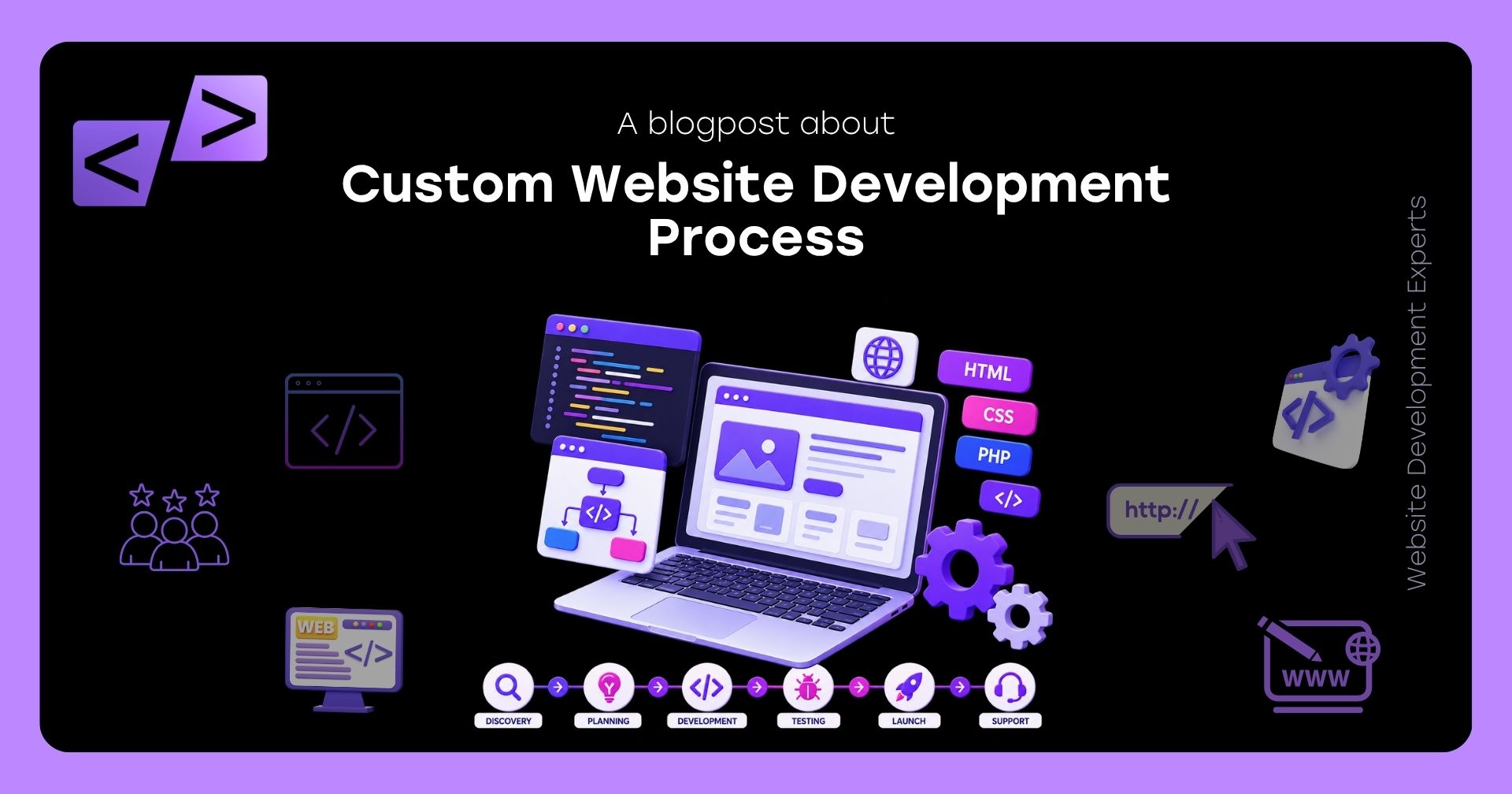
The custom website development process at a professional level consists of eight structured phases. Here is what happens in each one.
Phase 1: Discovery — Understanding Before Building
Every professional custom website development engagement begins with a structured discovery phase. This is the most important investment of the entire project — and the phase that most distinguishes expert developers from order-takers.
It is better to spend two weeks validating assumptions than six months building the wrong tool. The discovery phase should produce a clickable wireframe and a comprehensive technical specification document. These assets serve as the blueprint for the entire build.
Discovery is not a sales conversation. It is a deep investigation into your business, your audience, your competitive landscape, and the specific commercial problem your website needs to solve.
What a thorough discovery phase produces:
- Business goal definition: Every objective the website must achieve — leads generated, products sold, appointments booked, accounts created — defined with measurable success criteria
- Audience intelligence: Data-backed personas that reflect actual buying habits. The exact path from the first "What is this?" visit to the "Take my money" loyal customer phase — mapped in detail so the development team builds features that remove friction points at every stage.
- Competitive landscape analysis: How competitors' digital presences are structured, what they do well, where they underperform, and where differentiation opportunities exist
- Technical requirements inventory: Every integration, third-party tool, CMS requirement, authentication system, payment gateway, and API connection the site must support
- Content inventory and gap analysis: What content exists, what needs to be created, and what the content structure must look like to support the conversion architecture
- Constraint identification: Budget, timeline, team capacity, existing technology dependencies, regulatory requirements — all surfaced before a single architectural decision is made
The output of discovery is a technical specification document and project brief that defines the scope with enough precision that both client and development team agree on exactly what is being built — and what is explicitly not in scope for this phase.
Phase 2: Strategy and Architecture — The Blueprint
With discovery complete, the development team produces the strategic and technical blueprint that governs every decision in the build.
Modern custom builds often use frameworks such as React, Angular, or Vue for the front end and Node.js, .NET, or Java for the backend. The architecture is designed to handle performance demands, scale traffic, and secure data processing.
What the architecture phase defines:
Technology Stack Selection
The technology stack recommendation is one of the most consequential decisions in the project — and it should be made after discovery, not before. The stack must match:
- The performance requirements of the target audience (geographic distribution, device mix, connection speed)
- The scalability trajectory of the business (expected traffic growth over 12 to 36 months)
- The team's ability to maintain and evolve the codebase post-launch
- The integration requirements identified during discovery
In 2026, AI tools are making skilled developers faster and more capable. What once took a team weeks can now be scoped and built in days. That is good for businesses — it means more iteration, faster delivery, and potentially better value for investment. But AI has not replaced judgment: knowing what to build, why it matters to your users, and how to make it serve your business goals still requires experienced humans.
Information Architecture
The sitemap and information architecture define which pages exist, how they relate to each other, and how navigation connects them. In professional custom website development, information architecture is designed around the customer's decision journey — not around the organizational structure of the business.
Performance Architecture
Core Web Vitals targets (LCP, INP, CLS) are defined before development begins, and the architectural decisions that will achieve them — server-side rendering strategy, CDN configuration, image delivery pipeline, JavaScript bundling approach — are documented and agreed upon.
Security Architecture
Authentication protocols, data encryption approach, input validation strategy, GDPR and CCPA compliance architecture, and role-based access control requirements are all defined at this stage — ensuring security is engineered in rather than bolted on.
Integration Architecture
Every third-party system — CRM, payment gateway, marketing automation, analytics, ERP — is mapped with the data flows, API specifications, and error handling requirements that will govern each integration's implementation.
Phase 3: UX Design — Wireframes and User Flow Mapping
With the architecture defined, the project moves into UX design. This phase translates the strategic blueprint into the structural skeleton of every page and user flow — before any visual design decisions are made.
This phase translates requirements into a visual and interactive blueprint before a single component is built. Before designing the final UI, teams create wireframes — low-fidelity sketches that map out the layout and flow of each screen without colour or styling. Once the structure is agreed on, wireframes evolve into higher-fidelity prototypes that simulate real interactions. This lets stakeholders and users give feedback on the experience before any development begins, catching misalignments early when changes are still cheap.
What UX design produces:
- Wireframes: Low-fidelity layouts for every distinct page type, showing the placement and hierarchy of content elements without visual styling — the structural blueprint reviewable before any design investment is made
- User flow maps: Visual representations of every path a user can take through the site — from arrival to conversion — with branch logic for different audience segments, entry points, and behavioral paths
- Interactive prototypes: Clickable simulations of key user journeys built in Figma or equivalent — allowing stakeholders to experience the flow of the site before it is built, catching UX problems when they cost a design revision rather than a development rework
- Interaction specifications: Hover states, animation behaviors, form validation patterns, error states, and empty states — the detailed behavioral specifications that developers need to build the experience correctly
The most expensive UX changes are those made after development is complete. Professional custom website development teams invest heavily in this phase precisely to avoid the cost of discovering structural problems during development or, worse, after launch.
Phase 4: Visual Design — Bringing the Brand to Life
With the structural blueprint signed off, visual design transforms the wireframes into the full visual language of the website — typography, color, imagery, iconography, and component design — all expressed as a coherent, brand-aligned design system.
A design system is a library of reusable components — buttons, cards, forms, layouts — built according to shared rules. It improves consistency, speeds future development, and is the difference between a site that ages well and one that gets messy after a few updates.
What the visual design phase produces:
- High-fidelity mockups: Pixel-precise visual designs for every page type at desktop, tablet, and mobile breakpoints — showing exactly what the built site will look like before a line of code is written
- Component design system: A documented library of every reusable UI component — buttons, cards, form inputs, navigation elements, modals — with all states (default, hover, active, disabled, error) specified
- Typography system: Font selection, scale, weight hierarchy, and line-height specifications for every text element across the site
- Color system: Primary, secondary, accent, semantic (success, warning, error), and neutral color definitions with accessibility contrast ratios verified against WCAG 2.1 AA standards
- Motion design specifications: Transition timing, easing curves, animation patterns, and micro-interaction behaviors documented for consistent implementation
The design approval gate: No development begins until the client has reviewed, revised, and formally approved the high-fidelity designs. This gate is the single most important milestone for protecting both timeline and budget — because changes requested after development begins cost multiple times more than changes made at design stage.
Phase 5: Development — Building the Platform
With approved designs in hand, development begins. This is typically the longest phase of the project — and the one that is least visible to clients, because most of the substantive work happens in code, not in interfaces the client can review.
A professional web development firm introduces structured release processes, testing environments, and monitoring tools that help teams maintain stability after launch. This approach requires more planning at the start, but it prevents structural problems later.
How professional custom website development is structured during the build:
Front-End Development
Approved visual designs are translated into semantic, accessible, performance-optimized HTML, CSS, and JavaScript. Every component in the design system is built as a reusable code component, ensuring visual consistency across every page without duplication.
Front-end development in professional engagements explicitly implements:
- Semantic HTML with correct heading hierarchy, landmark elements, and ARIA attributes — building accessibility and SEO technical structure simultaneously
- Responsive layouts that genuinely optimize for each breakpoint — not CSS that hides desktop elements on mobile
- Performance optimizations at the component level — lazy loading, image optimization, deferred script loading, and critical CSS inlining
Back-End Development
Server logic, database architecture, API development, authentication systems, and integration connectors are built in parallel with front-end work. The back-end implements the data models, business logic, and API contracts defined during the architecture phase.
Integration Development
Each third-party integration — CRM, payment gateway, marketing automation, analytics — is built against the API specifications documented during architecture, with complete error handling, retry logic, and monitoring hooks.
CMS Configuration
The content management system is configured to give the client's team the ability to manage content independently after launch — with structured content models that enforce design consistency and prevent content editors from inadvertently breaking the layout.
Development Environment Standards
In 2026, many businesses want the agility to launch new landing pages, service lines, or campaigns without having to rewrite everything. Custom builds increasingly use modular components, reusable sections, design systems, and structured content blocks.
Throughout development, professional teams maintain:
- Version control with meaningful commit messages and structured branching workflows
- A staging environment that mirrors production, where the client can review progress throughout the build
- Automated testing suites (unit tests, integration tests) that run on every commit
- Code documentation that makes the codebase comprehensible to any future developer
Phase 6: Content Integration and SEO Foundation
As development progresses, the content that will populate the live site is integrated — and the technical SEO foundation that will determine the site's organic visibility is implemented.
Search visibility depends on more than keywords. Page speed, technical structure, and user experience play a significant role in ranking outcomes. Developers can optimize asset loading, implement clean semantic markup, and design internal linking strategies that support search indexing. Technical SEO becomes part of the engineering process rather than an afterthought.
Technical SEO implementation during development:
- JSON-LD structured data (BlogPosting, Organization, FAQPage, Service, LocalBusiness schemas) implemented correctly across all relevant page types
- Meta title and description templates configured for every page type with character limit compliance
- XML sitemap generated and configured to reflect page priority and update frequency
- Robots.txt configured to prevent crawling of staging, admin, and duplicate content URLs
- Canonical tags implemented on all pages to prevent duplicate content indexing
- Open Graph and Twitter Card meta tags configured for controlled social sharing previews
- Internal linking architecture implemented to distribute link equity to priority commercial pages
- URL structure verified against information architecture — no parameters, no dynamic URLs on content that should be indexed
Content integration:
All client-supplied content — copy, imagery, video, documents — is integrated into the CMS with:
- Images compressed, converted to WebP, and tagged with descriptive alt text
- Videos hosted on appropriate platforms with lazy-loaded embeds
- Documents linked with descriptive anchor text rather than "click here"
- Internal links connecting related pages according to the linking architecture
Phase 7: QA Testing — Verifying Before Launch
Quality assurance is not the final step of development. It is a dedicated phase with its own process, its own checklist, and its own timeline — and compressing it to meet a launch deadline is one of the most reliably expensive decisions a project can make.
The seven stages are discovery, planning, UX/UI design, content creation, development, testing, and ongoing optimization. Testing is a fixed phase — not a buffer to be compressed when timelines tighten.
What a complete QA process covers:
Functional Testing
Every feature, form, button, filter, dropdown, modal, and interactive element tested against defined acceptance criteria. Form submission flows tested end-to-end — from submission through to CRM receipt and automation trigger. Payment flows tested in sandbox environments with multiple card types, failure scenarios, and edge cases.
Cross-Browser and Cross-Device Testing
The site tested in Chrome, Firefox, Safari, and Edge — on both desktop and mobile operating system variants. Key user journeys tested on a matrix of actual devices covering the traffic mix identified during discovery.
Performance Testing
Core Web Vitals scores measured against targets defined in the architecture phase — on both desktop and mobile, using both Google PageSpeed Insights and real-user measurement tools. Any page scoring below defined thresholds returned to development for optimization before sign-off.
Accessibility Testing
WCAG 2.1 AA compliance verified using automated tools (axe, Lighthouse accessibility audit) and manual keyboard navigation testing. Screen reader compatibility verified for primary user flows.
Security Testing
OWASP Top 10 vulnerability assessment completed. All form inputs tested for injection vulnerabilities. Authentication flows tested for session management correctness. SSL configuration verified.
SEO Verification
All structured data validated using Google's Rich Results Test. All meta tags verified for accuracy and character limit compliance. Sitemap submitted to Google Search Console. Crawl simulation run to verify no important pages are blocked.
Integration Testing
Every third-party integration tested under realistic transaction conditions — form submissions confirmed in CRM, payments confirmed in payment dashboard, analytics events confirmed in GA4, automation triggers confirmed in marketing platform.
The client review stage: Once internal QA is complete, the client receives access to the staging environment for their own review. Client feedback is collected in writing, consolidated into a single revision round, and addressed before final launch approval is given.
Phase 8: Launch — Going Live With Precision
Launch day is not the moment to improvise. Professional custom website development teams manage the transition from staging to production as a structured, documented process with clear steps and a defined rollback plan if anything unexpected occurs.
What a professional launch process includes:
- Pre-launch checklist verification: Every item on a comprehensive pre-launch checklist — SSL active, redirects in place, analytics firing, forms submitting to correct destinations, sitemap submitted, Google Search Console configured — verified before DNS is touched
- DNS transition management: Domain name server records updated with appropriate TTL settings, and the transition monitored from multiple geographic locations to confirm propagation
- 301 redirect implementation: Every URL from the previous site that has inbound links or existing search rankings redirected to the corresponding new URL — preserving accumulated link equity and preventing 404 errors for indexed URLs
- Post-launch smoke testing: Core user journeys tested on the live environment within minutes of launch — confirming that the production server behaves identically to staging
- Monitoring activation: Uptime monitoring, error tracking, and performance monitoring activated on the live environment before any traffic is sent
- Backup verification: A full site backup taken immediately post-launch and verified
The 48-hour post-launch watch: Professional teams remain on heightened alert for the first 48 hours post-launch — monitoring error logs, uptime alerts, and performance metrics for any issues that emerge under real user traffic conditions that staging testing did not surface.
Phase 9: Post-Launch Optimization and Maintenance
A future-ready approach to custom website development treats your website as a product with versions and iterations — not a one-time deliverable.
Launch is the beginning of the website's commercial life — not the conclusion of the development engagement. Professional website maintenance and support begins immediately after launch and continues for the lifetime of the platform.
A professional web development firm introduces structured release processes, testing environments, and monitoring tools that help teams maintain stability after launch. This approach prevents structural problems later.
What post-launch optimization covers:
- Monthly Core Web Vitals monitoring and performance optimization as content grows
- Ongoing security patching and dependency updates applied on structured cadences
- A/B testing of conversion-critical elements (CTAs, form designs, landing page structure) informed by real user behavior data
- Content updates and new page development built on the established design system
- SEO performance monitoring via Google Search Console with monthly technical health audits
- Quarterly strategic reviews connecting website performance metrics to business outcomes
The Complete Custom Website Development Process at a Glance
What Clients Are Responsible for at Each Phase
The most underestimated variable in any custom website development project is the client's own delivery. Delays on the client side are the most common cause of projects running over schedule — and many clients do not realize their responsibilities until they are already creating bottlenecks.
Conclusion
The custom website development process is not an obstacle between your idea and a live website. It is the structure that ensures what gets built actually matches what your business needs — and that the investment you make today continues to return value for years after the site goes live.
Businesses that succeed long term tend to build systems that fit their reality, not work around software limitations. Start with clarity. Define your goals, understand your constraints, and choose a partner who speaks honestly about trade-offs. That approach saves time, money, and frustration in the long run.
Every phase described in this guide — from the discovery call that establishes what success looks like, to the QA process that verifies it, to the post-launch maintenance that sustains it — is a deliberate investment in a commercial outcome, not a procedural formality.
At WebsiteDevelopmentExpert.com, led by Dr. Zaid Altahat — Ph.D. in Computer Science and 20+ years of engineering at Motorola, GE Healthcare, and Baxter — this process is not a methodology we describe. It is the structure we apply to every custom website development engagement we take on — because we understand that the quality of a website is determined before the first line of code is written, and sustained long after the launch announcement is sent.
Whether you are building your first professional website, rebuilding a platform that has outgrown its foundations, or investing in custom web application development at enterprise scale, the right process makes the difference between a project that delivers and one that disappoints.
FAQs
How long does the custom website development process take from start to launch?
Timeline depends directly on project scope and complexity. A professional custom marketing website with 10 to 20 pages, a blog, and standard integrations typically takes 8 to 14 weeks from discovery through launch. An e-commerce platform with custom checkout flows and inventory integrations typically takes 12 to 20 weeks. A custom web application with user authentication, dashboards, and complex integrations typically takes 16 to 32 weeks. The most reliable predictor of whether a project finishes on schedule is the speed and completeness of client content delivery and feedback at each review stage.
What is the most important phase of the custom website development process?
Discovery is consistently the most important phase — and the one most commonly rushed or skipped by development partners who want to move quickly to visible deliverables. Discovery produces the technical specification that governs every decision in the build. A weak discovery produces a specification built on assumptions — and every wrong assumption becomes a rework cost during development. Spending two weeks on discovery is always cheaper than spending six weeks fixing a build that was based on a misunderstood requirement.
What should I as a client bring to the discovery phase of a custom website development project?
Bring examples of websites you find effective and explain specifically why each one works for you. Bring your existing brand assets — logo files, brand guidelines, color palette, typography. Bring access to your analytics if you have an existing site. Bring documentation of your business goals, your target audience, and the specific outcomes this website must achieve. And bring a list of every third-party tool your business relies on that the website will need to connect with — CRM, payment processor, email marketing platform, booking system.
Why does visual design need to be formally approved before development begins?
Because design changes requested after development has begun cost three to five times more to implement than the same changes made during the design phase. At design stage, a change is a Figma edit — minutes of work. After development, the same change may require refactoring component code, updating CSS across multiple breakpoints, and re-testing the affected elements across browsers and devices. The design approval gate protects the client's budget and the project timeline by making the most expensive change window — during development — as narrow as possible.
What happens to my website after launch and who is responsible for maintaining it?
After launch, your website requires ongoing website maintenance and support to remain fast, secure, and effective — covering security patch application, Core Web Vitals monitoring and optimization, backup management, SEO technical health audits, and bug fixes. A professional custom website development partner offers structured post-launch maintenance plans with defined SLAs. Without one, the website begins accumulating technical debt immediately — security vulnerabilities, performance regressions, and SEO health degradation that compound until they require expensive remediation.

